The JavaScript Event Loop in 2026 and How Understanding It Separates Developers Who Debug for Minutes From Those Who Debug for Days
📧 Subscribe to JS Pulse
The JavaScript job market in one email: real numbers from 600+ job listings, 5 jobs worth applying to, and what actually changed. Join 9,000+ developers.
A developer on my team spent two days debugging a React component that "randomly" showed stale data after a form submission. The component called an API, updated the database, and then read the updated value. Sometimes it worked. Sometimes it returned the old value. The fix was one line: moving a setState call after an await. The bug was an event loop ordering issue that took 2 minutes to fix once you understood it and 2 days to fix if you did not.
The JavaScript event loop is the most misunderstood concept in the language. Every tutorial explains it with the same diagram: call stack, web APIs, callback queue, event loop checks if the stack is empty. Developers nod, pass the interview question, and then spend days debugging production issues caused by the exact concept they "understood." The gap between knowing what the event loop is and using that knowledge to debug real problems is where most JavaScript developers get stuck.
I run jsgurujobs.com and review technical assessments from JavaScript developers regularly. Event loop questions appear in 60% of senior interviews, but the questions have changed. In 2020, interviewers asked "explain the event loop." In 2026, they show you a piece of code and ask "what is the output order and why?" The difference tests whether you memorized a diagram or actually understand execution ordering. And in production, execution ordering is the difference between a feature that works and a feature that works most of the time, which is the most dangerous kind of bug.
Why the JavaScript Event Loop Matters More in 2026 Than in Any Previous Year
JavaScript in 2026 is more async than it has ever been. React Server Components execute code on both the server and the client, and the boundary between them is an async network call. Server Actions in Next.js cross the network boundary invisibly, which means the event loop on the server and the event loop on the client are both involved in a single user interaction. AI integrations stream tokens from model APIs using async iterators. Real-time features use WebSockets that fire events independently of the rendering cycle.
Every one of these patterns creates event loop ordering dependencies that cause bugs when developers do not understand the execution model. A setState inside a then callback behaves differently than a setState inside an async/await continuation. A setTimeout(fn, 0) does not execute immediately despite the zero delay. A Promise.resolve().then(fn) executes before setTimeout(fn, 0) even though both appear to be "deferred." These are not theoretical distinctions. They are the source of production bugs that cost companies hours of debugging time every week.
On jsgurujobs.com, "deep understanding of JavaScript internals" appears in 35% of senior role descriptions. This is code for "understands the event loop well enough to debug timing issues without guessing." Companies pay $150K-$250K for developers who can look at a race condition and identify the cause in minutes instead of days. The event loop is the foundation of that skill.
The Real Event Loop Model That Goes Beyond the Basic Diagram
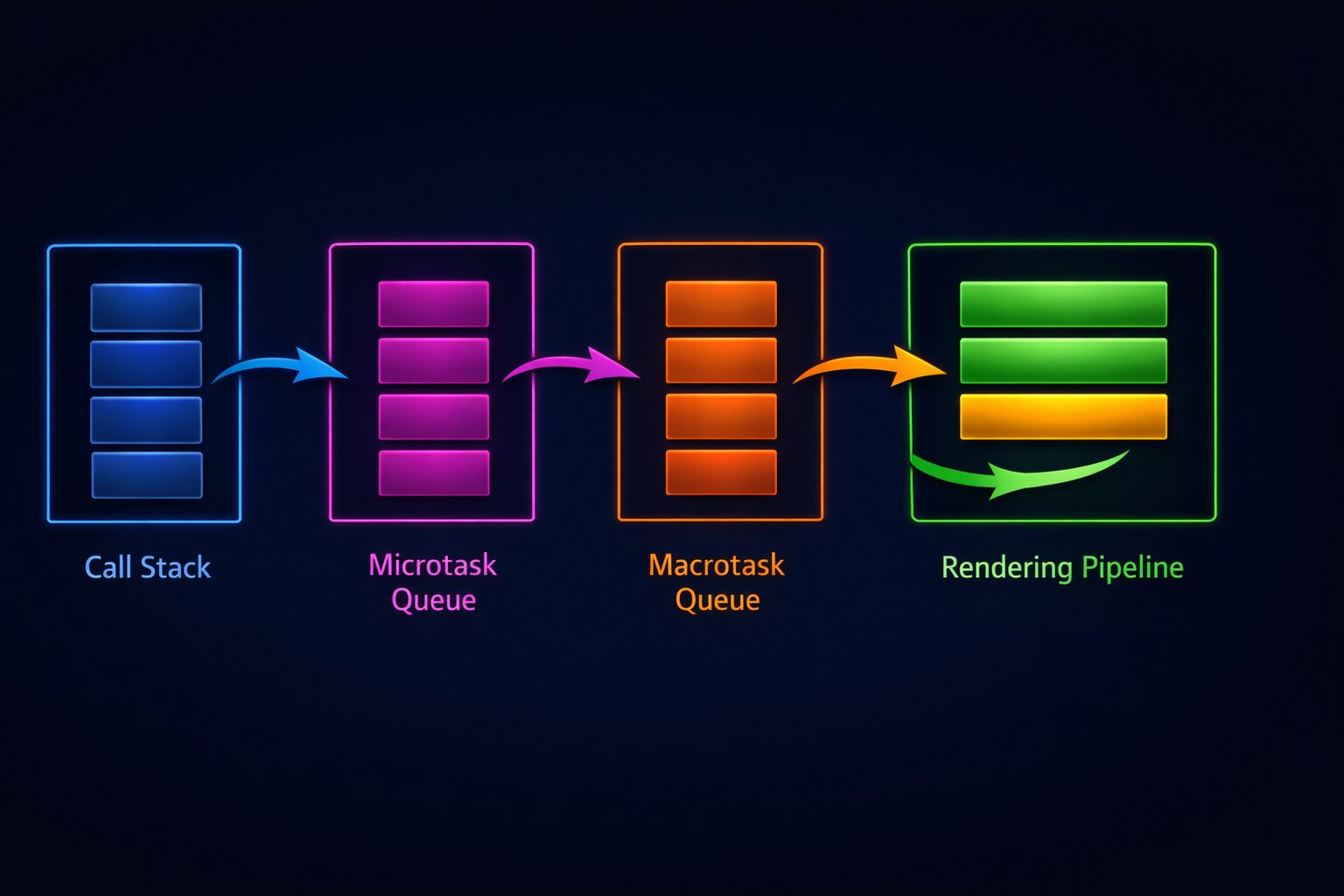
The basic event loop diagram shows one queue. The real event loop has multiple queues with different priorities. Understanding these priorities is what separates tutorial knowledge from production knowledge.
The Call Stack
The call stack is where synchronous code executes. Every function call pushes a frame onto the stack. Every return pops a frame. The event loop cannot process any queued work until the call stack is completely empty. This is why a long synchronous operation blocks everything: the call stack is never empty long enough for the event loop to process anything else.
// This blocks the event loop for ~2 seconds
function blockEventLoop() {
    const start = Date.now();
    while (Date.now() - start < 2000) {
        // Synchronous busy loop
    }
    console.log('Done blocking');
}

console.log('Before');
blockEventLoop();
console.log('After');
// Output: Before, Done blocking, After
// No other event loop work happens during those 2 seconds
In a browser, this means no rendering, no click handlers, no animations. The page freezes. In Node.js, this means no incoming HTTP requests are processed. The server is unresponsive. This is why understanding the event loop is not academic. A single synchronous operation in the wrong place can take down your entire application.
The Microtask Queue (Promise Callbacks)
When a Promise resolves, its .then() callback goes into the microtask queue. Microtasks have the highest priority of any queued work. After every task completes (every function that runs from the call stack), the event loop drains the entire microtask queue before doing anything else. This means all pending Promise callbacks execute before any setTimeout callbacks, before any I/O callbacks, and before any rendering.
console.log('1');

setTimeout(() => console.log('2'), 0);

Promise.resolve().then(() => console.log('3'));

console.log('4');

// Output: 1, 4, 3, 2
The output order is 1, 4, 3, 2. Not 1, 4, 2, 3. The Promise callback (3) executes before the setTimeout callback (2) because microtasks have priority over macrotasks. This is the single most important event loop fact for production debugging. Every async/await continuation is a microtask. Every .then() callback is a microtask. They always execute before setTimeout, setInterval, and I/O callbacks.
The Macrotask Queue (setTimeout, setInterval, I/O)
setTimeout, setInterval, and I/O completion callbacks go into the macrotask queue. The event loop processes one macrotask at a time, and between each macrotask, it drains the entire microtask queue. This means if a macrotask creates new microtasks, those microtasks execute before the next macrotask.
setTimeout(() => {
    console.log('timeout 1');
    Promise.resolve().then(() => console.log('promise inside timeout'));
}, 0);

setTimeout(() => {
    console.log('timeout 2');
}, 0);

// Output: timeout 1, promise inside timeout, timeout 2
The promise callback created inside the first timeout executes before the second timeout. This is because the event loop drains all microtasks after each macrotask. Understanding this ordering is critical when you have code that mixes promises and timeouts, which is common in animation sequencing, polling, and debounced operations.
The Animation Frame Queue (requestAnimationFrame)
In browsers, requestAnimationFrame callbacks execute at a specific point in the event loop cycle: after microtasks are drained and before the browser paints. This makes rAF the correct place for visual updates because the browser guarantees that your changes will be reflected in the next paint.
// Wrong: visual update in setTimeout (may cause jank)
setTimeout(() => {
    element.style.transform = `translateX(${position}px)`;
}, 0);

// Right: visual update in requestAnimationFrame (smooth)
requestAnimationFrame(() => {
    element.style.transform = `translateX(${position}px)`;
});
For developers building React applications where performance directly affects user experience, understanding when rAF callbacks execute relative to state updates and rendering is essential for building smooth animations and avoiding visual glitches.
How setState and React Rendering Interact With the Event Loop
React's rendering model sits on top of the JavaScript event loop, and understanding their interaction prevents an entire category of bugs.
React 18+ Automatic Batching
Before React 18, state updates inside event handlers were batched (multiple setState calls resulted in one render), but state updates inside timeouts, promises, and native event handlers were not batched (each setState caused a separate render). React 18 introduced automatic batching for all state updates regardless of where they occur.
// React 18+: both setState calls result in ONE render
async function handleClick() {
    const data = await fetchData();
    setName(data.name);    // Does not trigger render yet
    setAge(data.age);      // Both updates batched into one render
}
This is an event loop interaction. React schedules a re-render as a microtask after the current execution context completes. Both setState calls happen in the same microtask (the async continuation after await), so React batches them into a single render. If you need to force a render between two state updates (rare but sometimes necessary), you can use flushSync:
import { flushSync } from 'react-dom';

function handleClick() {
    flushSync(() => {
        setCount(prev => prev + 1);
    });
    // DOM is updated here, before the next line executes

    flushSync(() => {
        setFlag(true);
    });
    // DOM is updated again here
}
flushSync forces React to flush the pending render synchronously, blocking the event loop until the DOM is updated. This is expensive and should be used rarely, but understanding that it exists and why it works requires understanding that React rendering is normally deferred to the next microtask.
The Stale State Bug That Event Loop Knowledge Prevents
The most common React bug caused by event loop misunderstanding is reading state immediately after setting it.
function Counter() {
    const [count, setCount] = useState(0);

    function handleClick() {
        setCount(count + 1);
        console.log(count); // Still 0! Not 1!

        // This API call sends the OLD count
        fetch(`/api/track?count=${count}`);
    }

    return <button onClick={handleClick}>{count}</button>;
}
setCount does not update count immediately. It schedules a re-render. The count variable in the current closure still holds the old value. This is not a React bug. It is how JavaScript closures interact with React's rendering model, which is built on the event loop.
// Fix: use the functional update form and useRef for side effects
function Counter() {
    const [count, setCount] = useState(0);
    const countRef = useRef(0);

    function handleClick() {
        const newCount = count + 1;
        countRef.current = newCount;
        setCount(newCount);

        // Use the calculated value, not the state variable
        fetch(`/api/track?count=${newCount}`);
    }

    return <button onClick={handleClick}>{count}</button>;
}
Why setTimeout(fn, 0) Does Not Mean Zero Milliseconds
One of the most persistent misconceptions in JavaScript is that setTimeout(fn, 0) executes the function immediately or with zero delay. It does not. The minimum delay for setTimeout in browsers is 4 milliseconds (and can be longer depending on nesting depth and browser throttling). In Node.js, the minimum delay is 1 millisecond.
But the real delay is usually much longer than the specified time. setTimeout(fn, 0) means "add this callback to the macrotask queue after 0 milliseconds." The callback does not execute until the call stack is empty AND all microtasks are drained AND the event loop gets around to processing the macrotask queue.
console.log('Start');

setTimeout(() => console.log('Timeout'), 0);

// This synchronous loop delays the timeout callback
for (let i = 0; i < 1000000; i++) {
    // busy work
}

Promise.resolve().then(() => console.log('Promise'));

console.log('End');

// Output: Start, End, Promise, Timeout
// The timeout callback executes AFTER the synchronous loop,
// AFTER the synchronous console.log, and AFTER the promise callback
In production, this matters when you use setTimeout(fn, 0) to "defer" work. You might think you are deferring it to "the next tick," but you are actually deferring it to after all microtasks, which could include hundreds of Promise callbacks from a data fetching waterfall. Your "immediate" timeout might execute 50-100 milliseconds later than you expected.
setImmediate vs setTimeout(0) vs queueMicrotask
Node.js provides setImmediate which executes after I/O callbacks but before timers. queueMicrotask adds a callback to the microtask queue, giving it higher priority than both setTimeout and setImmediate.
// Node.js execution order
setImmediate(() => console.log('setImmediate'));
setTimeout(() => console.log('setTimeout'), 0);
queueMicrotask(() => console.log('queueMicrotask'));
Promise.resolve().then(() => console.log('Promise.then'));

// Output:
// queueMicrotask
// Promise.then
// setTimeout (or setImmediate, order between these two is non-deterministic)
// setImmediate (or setTimeout)
queueMicrotask and Promise.then always execute first because microtasks have priority. The order between setTimeout(fn, 0) and setImmediate is actually non-deterministic when called from the main module (not inside an I/O callback). This is a Node.js specific behavior that causes intermittent test failures if your tests depend on the order between these two.
How the Event Loop Causes Memory Leaks in JavaScript Applications
Event loop misunderstanding is a common source of memory leaks, especially in long-running Node.js applications and single-page React applications.
The Closure Leak in setInterval
// Memory leak: the closure holds a reference to `data`
function startPolling(url: string) {
    let data = fetchInitialData(); // Large object

    setInterval(async () => {
        const newData = await fetch(url).then(r => r.json());
        // `data` is captured in this closure but never released
        if (JSON.stringify(newData) !== JSON.stringify(data)) {
            data = newData;
            updateUI(data);
        }
    }, 5000);
}
The setInterval callback captures data in its closure. As long as the interval is running, data cannot be garbage collected. If data is large (a full dataset, a list of thousands of items), this memory is held permanently. The fix is to store the interval ID and clear it when the component unmounts or the polling is no longer needed.
function startPolling(url: string): () => void {
    let data = fetchInitialData();

    const intervalId = setInterval(async () => {
        const newData = await fetch(url).then(r => r.json());
        if (JSON.stringify(newData) !== JSON.stringify(data)) {
            data = newData;
            updateUI(data);
        }
    }, 5000);

    // Return cleanup function
    return () => {
        clearInterval(intervalId);
        data = null; // Release the reference
    };
}
For developers who deal with Node.js memory leaks in production, understanding how the event loop keeps closures alive through timers and callbacks is the first step in identifying where leaked memory is being held.
The Uncleared Timer in React useEffect
// Memory leak: timer is never cleared
useEffect(() => {
    const timer = setInterval(() => {
        setCount(prev => prev + 1);
    }, 1000);

    // Missing: return () => clearInterval(timer);
}, []);
When the component unmounts, the interval keeps running. setCount is called on an unmounted component. React warns about this in development, but in production it silently leaks memory and wastes CPU cycles. Every setInterval and setTimeout inside a useEffect must have a cleanup function in the return value.
The Event Loop in Node.js vs the Browser
The browser event loop and the Node.js event loop are similar in concept but different in implementation. Understanding the differences prevents bugs that only appear in one environment.
Node.js Has Additional Phases
The Node.js event loop has six phases: timers, pending callbacks, idle/prepare, poll, check, and close callbacks. The browser event loop is simpler: tasks, microtasks, and rendering. The practical difference is that Node.js processes I/O callbacks in the poll phase, and setImmediate callbacks in the check phase. This creates ordering guarantees that do not exist in the browser.
// Node.js: inside an I/O callback, setImmediate always fires before setTimeout
const fs = require('fs');

fs.readFile('/tmp/test.txt', () => {
    setImmediate(() => console.log('setImmediate'));
    setTimeout(() => console.log('setTimeout'), 0);
});

// Output is ALWAYS: setImmediate, setTimeout
// Because setImmediate (check phase) comes after poll phase
// and before timers phase in the next loop iteration
Browser Throttling That Does Not Exist in Node.js
Browsers throttle setTimeout and setInterval in background tabs. A timer with a 100ms delay might only fire once per second in a background tab. This does not happen in Node.js. If your application relies on precise timer intervals for polling or animation, switching between foreground and background tabs will change behavior.
// This polling interval is unreliable in background browser tabs
setInterval(async () => {
    const updates = await checkForUpdates();
    if (updates.length > 0) {
        showNotification(updates);
    }
}, 5000);
// In a background tab, this might fire every 60 seconds instead of every 5
For reliable background polling in browsers, use navigator.serviceWorker or the Page Visibility API to detect when the tab is backgrounded and adjust your strategy accordingly.
Event Loop Interview Questions That Senior Developers Must Answer in 2026
Event loop questions in senior JavaScript interviews have evolved from "explain the event loop" to "predict the output" and "debug this timing issue."
The Classic Output Order Question
async function test() {
    console.log('1');

    setTimeout(() => console.log('2'), 0);

    await Promise.resolve();
    console.log('3');

    setTimeout(() => console.log('4'), 0);

    await Promise.resolve();
    console.log('5');
}

test();
console.log('6');
The output is: 1, 6, 3, 5, 2, 4. Here is why. console.log('1') executes synchronously. The first setTimeout queues '2' as a macrotask. await Promise.resolve() yields control. console.log('6') executes synchronously. Now the microtask queue runs: the continuation after the first await prints '3'. The second setTimeout queues '4'. The second await yields again. The continuation prints '5'. Now the macrotask queue runs: '2' then '4'.
If you can trace through this output order and explain why each line appears where it does, you understand the event loop well enough for any production debugging scenario. If you cannot, the rest of this article just gave you the model to figure it out.
The Real Production Debugging Scenario
Interviewers increasingly present production-like code instead of abstract puzzles. "This component sometimes shows stale data after a mutation. Why?"
async function updateAndRefresh() {
    await updateRecord(id, newData);
    // Bug: this fetch might return stale data because the
    // database write has not been committed yet
    const fresh = await fetchRecord(id);
    setData(fresh);
}
The bug is not event loop related in the traditional sense, but understanding async execution helps identify it: the await updateRecord resolves when the API responds, but the database transaction might not be committed yet when fetchRecord executes. The fix is to return the updated data from the update endpoint instead of fetching it separately, or to add a small delay, or to use optimistic updates.
Developers who understand how async operations interact with the event loop identify these bugs quickly because they think about execution order instinctively. Developers who do not understand the event loop try random fixes: adding setTimeout, reordering function calls, adding extra renders. The first approach takes minutes. The second takes days.
For developers preparing for JavaScript system design interviews, event loop knowledge is the foundation for answering questions about real-time systems, concurrent request handling, and performance optimization.
How to Block the Event Loop and Why You Must Never Do It
The fastest way to crash a Node.js application or freeze a browser tab is to block the event loop with synchronous work. Here are the common ways this happens in production.
Synchronous JSON Parsing of Large Objects
// This blocks the event loop for hundreds of milliseconds
const data = JSON.parse(hugeJsonString); // 50MB JSON string

// Better: parse in chunks using a streaming parser
import { parse } from 'stream-json';
import { streamArray } from 'stream-json/streamers/StreamArray';

const pipeline = fs.createReadStream('huge.json')
    .pipe(parse())
    .pipe(streamArray());

pipeline.on('data', ({ value }) => {
    processItem(value);
});
A 50MB JSON string takes 200-500ms to parse synchronously. During that time, no HTTP requests are processed, no WebSocket messages are handled, and no timers fire. In a server handling 1,000 requests per second, a 500ms event loop block means 500 requests queue up waiting.
Regular Expressions With Catastrophic Backtracking
// This regex can block the event loop for MINUTES on certain inputs
const emailRegex = /^([a-zA-Z0-9_\-\.]+)@([a-zA-Z0-9_\-\.]+)\.([a-zA-Z]{2,5})$/;
const maliciousInput = 'a'.repeat(50) + '@';
emailRegex.test(maliciousInput); // Blocks for 30+ seconds

// Safe: use a simple regex or a validation library
const safeEmailRegex = /^[^\s@]+@[^\s@]+\.[^\s@]+$/;
Catastrophic backtracking is a form of ReDoS (Regular Expression Denial of Service). It happens when a regex with nested quantifiers encounters input that causes exponential backtracking. In production, user input is untrusted. A single malicious form submission can block your server's event loop for minutes. Always test regexes with adversarial input and use libraries like re2 for user-facing validation.
Synchronous File System Operations in Node.js
// BLOCKS the event loop: entire server freezes while reading file
const config = fs.readFileSync('/etc/app/config.json', 'utf-8');

// DOES NOT BLOCK: I/O happens in the thread pool
const config = await fs.promises.readFile('/etc/app/config.json', 'utf-8');
The readFileSync family of functions is the most common cause of event loop blocking in Node.js applications. Every fs.*Sync function blocks the event loop until the file system operation completes. On a slow disk or network-mounted filesystem, this can take hundreds of milliseconds. Use the async versions (fs.promises.*) or the callback versions for every file system operation in production code. The only acceptable place for readFileSync is during application startup before the server starts accepting requests.
process.nextTick and Why It Exists Separately From Promises
Node.js has process.nextTick which is a microtask that executes before Promise microtasks. This creates a four-level priority system in Node.js: synchronous code, process.nextTick callbacks, Promise callbacks, and then macrotasks.
setTimeout(() => console.log('setTimeout'), 0);
setImmediate(() => console.log('setImmediate'));
process.nextTick(() => console.log('nextTick'));
Promise.resolve().then(() => console.log('Promise'));

// Output:
// nextTick
// Promise
// setTimeout (or setImmediate)
// setImmediate (or setTimeout)
process.nextTick always fires before Promise callbacks. This exists for historical reasons and for specific use cases like ensuring that callbacks fire after the current operation completes but before any I/O. In practice, you should almost never use process.nextTick in application code. Use queueMicrotask or Promises instead. process.nextTick is primarily for library authors who need to guarantee execution order relative to I/O.
The danger of process.nextTick is that recursive nextTick calls starve the event loop. If a nextTick callback schedules another nextTick, and that one schedules another, the event loop never processes any I/O or timers. The microtask queue from Promises has the same risk, but it is much rarer in practice because Promise chains are naturally finite.
// THIS WILL STARVE THE EVENT LOOP
function recursiveNextTick() {
    process.nextTick(() => {
        recursiveNextTick(); // Never lets the event loop continue
    });
}

// THIS WILL ALSO STARVE THE EVENT LOOP
function recursivePromise() {
    Promise.resolve().then(() => {
        recursivePromise(); // Microtask queue never empties
    });
}
Both of these patterns prevent the event loop from ever processing I/O, timers, or any other work. In a server, this means complete unresponsiveness. In a browser, this means the tab freezes permanently. Any recursive async pattern must have a termination condition and should use setTimeout to yield to the event loop periodically.
How async/await Actually Interacts With the Event Loop
Many developers think async/await is fundamentally different from Promises. It is not. async/await is syntactic sugar over Promises, and understanding the desugaring clarifies many confusing behaviors.
// This async function...
async function fetchData() {
    console.log('A');
    const data = await fetch('/api/data');
    console.log('B');
    return data.json();
}

// ...is equivalent to this Promise code
function fetchData() {
    console.log('A');
    return fetch('/api/data').then(data => {
        console.log('B');
        return data.json();
    });
}
The key insight is that code after await is a microtask. It does not execute synchronously. It executes in the microtask queue after the awaited Promise resolves. This means that between 'A' and 'B', any other synchronous code, microtasks, and possibly macrotasks can execute.
async function first() {
    console.log('1');
    await Promise.resolve();
    console.log('2');
}

async function second() {
    console.log('3');
    await Promise.resolve();
    console.log('4');
}

first();
second();
console.log('5');

// Output: 1, 3, 5, 2, 4
Both first() and second() start executing synchronously. They both print their first line, hit await, and yield control. The synchronous console.log('5') executes. Then the microtask queue runs: the continuation of first prints '2', then the continuation of second prints '4'. This interleaving is the source of countless production bugs where developers assume that code after await executes immediately after the awaited operation completes.
Web Workers and How They Bypass the Event Loop Entirely
When you genuinely need to do CPU-intensive work without blocking the event loop, Web Workers (in browsers) and Worker Threads (in Node.js) are the solution. They run JavaScript in a separate thread with their own event loop.
// main.ts - does not block the UI
const worker = new Worker(new URL('./heavy-worker.ts', import.meta.url));

worker.postMessage({ data: largeDataset });

worker.onmessage = (event) => {
    const result = event.data;
    updateUI(result);
};

// heavy-worker.ts - runs in a separate thread
self.onmessage = (event) => {
    const { data } = event.data;

    // CPU-intensive work that would block the main thread
    const result = processLargeDataset(data);

    self.postMessage(result);
};
The main thread sends data to the worker via postMessage, the worker processes it in its own event loop (which can be blocked without affecting the UI), and sends the result back. Communication between threads uses structured cloning, which means objects are copied, not shared. For large datasets, use SharedArrayBuffer and Atomics for zero-copy data sharing between threads.
In React applications, heavy computations like sorting 10,000 rows, filtering large datasets, or generating charts should be offloaded to Web Workers. The main thread stays responsive for user interactions while the worker crunches numbers.
Practical Tools for Debugging Event Loop Issues in Production
When you suspect an event loop issue in production, these tools help identify the problem.
Node.js Event Loop Monitoring
// Monitor event loop lag
const start = process.hrtime.bigint();

setInterval(() => {
    const now = process.hrtime.bigint();
    const lag = Number(now - start) / 1_000_000 - 1000; // Expected 1000ms interval

    if (lag > 100) {
        logger.warn('Event loop lag detected', { lagMs: lag.toFixed(2) });
    }

    start = now;
}, 1000).unref();
This technique measures how long the event loop takes to process a 1-second interval timer. If the timer fires after 1,150ms instead of 1,000ms, the event loop was blocked for 150ms. In production, any lag above 50-100ms should trigger an alert because it indicates that requests are being delayed.
Chrome DevTools Performance Tab
In the browser, the Performance tab in Chrome DevTools records every event loop task. You can see exactly which function blocked the event loop, how long it took, and what triggered it. Look for long yellow bars in the "Main" section. These are JavaScript tasks that took more than 50ms and are considered "long tasks" that affect responsiveness.
The --prof Flag in Node.js
node --prof server.js
# After collecting data, process the log
node --prof-process isolate-0x*.log > profile.txt
The profiler output shows which functions consumed the most CPU time. Functions that appear at the top of the profile with high "self" time are likely blocking the event loop. This is especially useful for identifying synchronous operations that should be async, like JSON parsing, regex evaluation, or accidental readFileSync calls.
Understanding the event loop transforms debugging from guessing to reasoning. When you see a bug involving timing, ordering, or "it works sometimes," you do not add random setTimeout calls and hope for the best. You trace the execution through the call stack, microtask queue, and macrotask queue, identify exactly where the ordering breaks, and fix the root cause. That is the difference between debugging for minutes and debugging for days. And in a market where companies are cutting teams and expecting more from fewer developers, the developer who debugs in minutes is the one who keeps their job.
The Event Loop in React Server Components and Server Actions
React Server Components in Next.js 15+ introduce a new event loop challenge: your code runs on two different event loops. The server component renders on the server's event loop, serializes the result, sends it over the network, and the client's event loop deserializes and hydrates it. Timing bugs can occur in the gap between these two event loops.
// Server Component: runs on the server event loop
export default async function JobListings() {
    const jobs = await db.jobs.findMany(); // Server event loop: I/O phase

    return (
        <div>
            {jobs.map(job => (
                <JobCard key={job.id} job={job} />
            ))}
            <LikeButton /> {/* Client component */}
        </div>
    );
}

// Client Component: runs on the browser event loop
'use client';
function LikeButton() {
    const [liked, setLiked] = useState(false);

    async function handleLike() {
        setLiked(true); // Browser event loop: microtask queue
        await likeJob(jobId); // Server Action: crosses to server event loop
        // Back on browser event loop after response
        router.refresh(); // Triggers re-fetch on server event loop
    }

    return <button onClick={handleLike}>Like</button>;
}
The handleLike function touches both event loops. setLiked(true) updates state on the browser event loop. await likeJob(jobId) sends a request to the server where it executes on the server event loop. The response comes back to the browser event loop. router.refresh() triggers a new server render on the server event loop, which sends updated HTML back to the browser event loop for hydration.
If you do not think about which event loop each operation runs on, you end up with bugs like the stale data issue described at the beginning of this article. The server processed the update, but the client's subsequent fetch hit a database replica that had not replicated yet. Two event loops, two machines, two sources of timing-dependent behavior.
A Real Production Debugging Story That Event Loop Knowledge Solved
Last year I encountered a bug on jsgurujobs.com where job posting notifications were being sent twice. The notification system worked like this: when a new job was posted, the server saved it to the database, then published an event to a message queue, and a separate worker consumed the event and sent the notification.
The bug: the worker received the event, queried the database for the job details, and sometimes got null because the database transaction had not been committed yet. The worker's error handler caught the null, logged it, and retried. By the time the retry executed, the transaction was committed, so the worker found the job and sent the notification. But the first failed attempt had already been re-queued by the error handler. The re-queued attempt also found the job (now committed) and sent a second notification.
The fix was understanding that the event was published inside the database transaction callback (a microtask), but the transaction commit happened in a later event loop iteration (the I/O phase). Moving the event publication to after the transaction commit, using the afterCommit hook, ensured that the worker always found the data.
// BROKEN: event published before transaction commits
await db.transaction(async (tx) => {
    const job = await tx.jobs.create({ data: jobData });
    await messageQueue.publish('job.created', { jobId: job.id });
    // Transaction commits after this callback returns
    // But the message is already in the queue
});

// FIXED: event published after transaction commits
const job = await db.transaction(async (tx) => {
    return await tx.jobs.create({ data: jobData });
});
// Transaction is committed here
await messageQueue.publish('job.created', { jobId: job.id });
This bug took 10 minutes to fix once I understood the event loop ordering. It would have taken days of adding random delays, retry logic, and duplicate detection without that understanding. The duplicate detection would have worked as a bandaid. The event loop understanding fixed the root cause.
The Event Loop Knowledge Gap in the JavaScript Developer Market
On jsgurujobs.com, I see a clear pattern in technical assessments. Mid-level developers can explain the event loop diagram. Senior developers can predict output order of interleaved async code. Staff engineers can identify event loop issues in production code without running it.
This knowledge gap directly correlates with debugging speed. A developer who understands microtask vs macrotask priority, who knows that async/await continuations are microtasks, and who can trace execution order through multiple async operations, solves timing bugs in minutes. A developer who learned the event loop diagram but never internalized the execution model adds random setTimeout(fn, 0) calls until the bug appears to go away. It never actually goes away. It just becomes less frequent, which is worse because it becomes an intermittent production issue instead of a consistent development bug.
The event loop is not something you learn once and forget. It is the mental model that makes every async debugging session faster. Every race condition, every stale state bug, every "it works on my machine but not in production" issue traces back to execution ordering. And execution ordering is the event loop.
The developers who invest one afternoon in deeply understanding the event loop execution model save hundreds of hours over their career in debugging time. The developers who skip it and rely on trial and error spend those hundreds of hours confused, frustrated, and awake at 3 AM trying to figure out why their production application occasionally serves stale data to paying customers.
If you want to see which JavaScript roles test for deep runtime knowledge like event loop understanding, I track this data weekly at jsgurujobs.com.
FAQ
What is the difference between microtasks and macrotasks in JavaScript?
Microtasks (Promise callbacks, queueMicrotask) have higher priority than macrotasks (setTimeout, setInterval, I/O). After each macrotask completes, the event loop drains the entire microtask queue before processing the next macrotask. This is why Promise.then callbacks always execute before setTimeout callbacks even if the setTimeout has a 0ms delay.
Why does setTimeout(fn, 0) not execute immediately?
The 0 means "add to the macrotask queue after 0ms delay," not "execute now." The callback must wait until the call stack is empty, all microtasks are drained, and the event loop processes the macrotask queue. In browsers, the minimum actual delay is 4ms. In practice, the delay can be much longer if there is synchronous work or pending microtasks.
How does the event loop cause memory leaks?
Timers (setInterval, setTimeout) and event listeners keep their closure references alive as long as they are active. If a closure captures a large object and the timer is never cleared, that object cannot be garbage collected. In React, every setInterval inside useEffect must return a cleanup function that calls clearInterval.
Is the Node.js event loop the same as the browser event loop?
Similar concept but different implementation. Node.js has six phases (timers, pending callbacks, poll, check, close). Browsers have a simpler model with tasks, microtasks, and rendering. The main practical difference is that browsers throttle timers in background tabs while Node.js does not, and Node.js has setImmediate which browsers do not support.
📧 Subscribe to JS Pulse
The JavaScript job market in one email: real numbers from 600+ job listings, 5 jobs worth applying to, and what actually changed. Join 9,000+ developers.
Share this article