JavaScript Promises and Async Patterns That Senior Developers Actually Use in Production in 2026
📧 Subscribe to JS Pulse
The JavaScript job market in one email: real numbers from 600+ job listings, 5 jobs worth applying to, and what actually changed. Join 9,000+ developers.
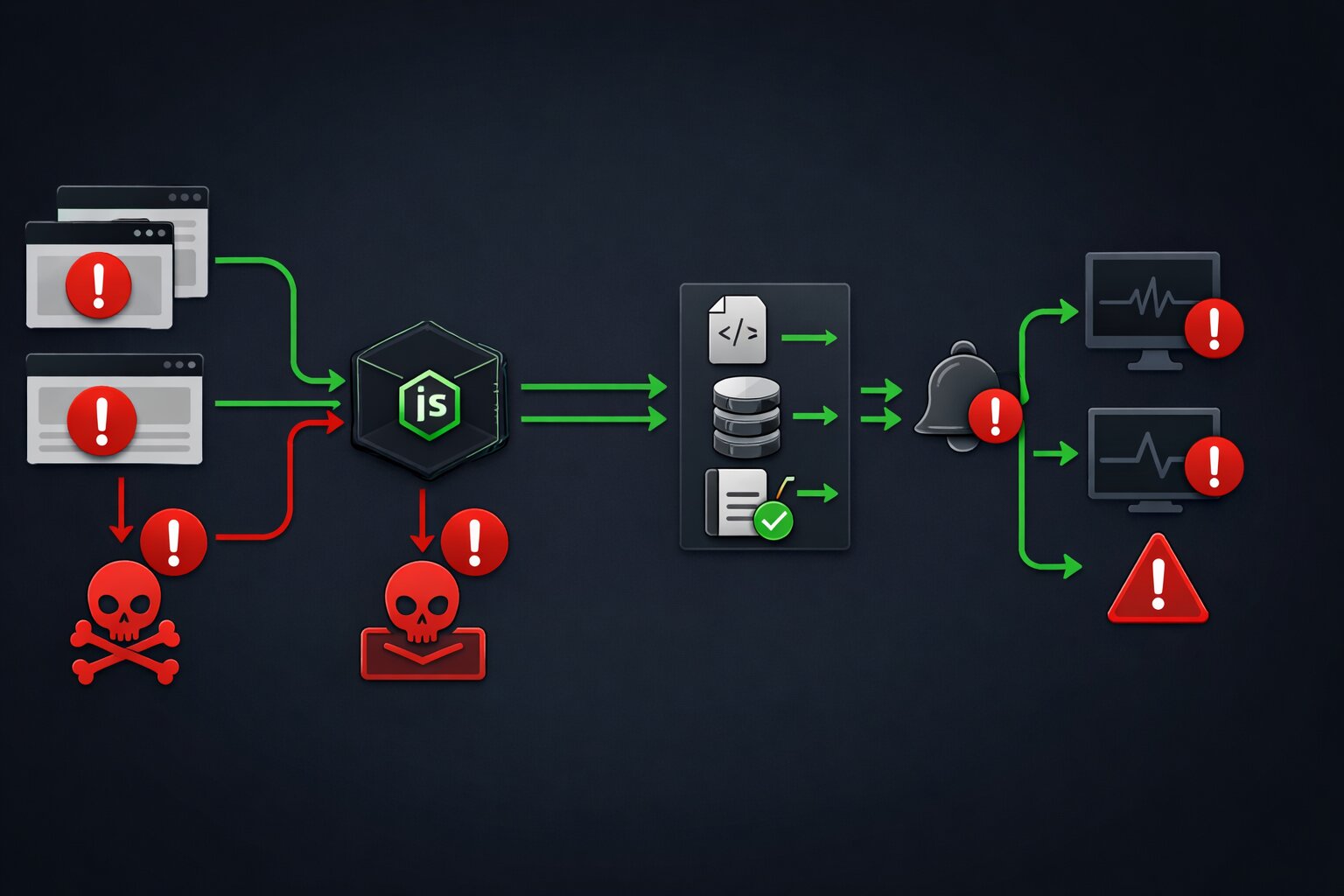
Every JavaScript tutorial teaches you how to use async/await. None of them teach you what happens when three API calls fail simultaneously, a user navigates away mid-fetch, the database connection drops for 200 milliseconds, and your error handler catches a generic Error object that tells you nothing about which call failed or why. This is the gap between learning Promises and using Promises in production. It is the gap that separates developers who build features from developers who build systems that survive real-world conditions.
I run jsgurujobs.com and review code from JavaScript developers regularly. The most common pattern I see in production codebases is a try/catch wrapped around a single await call with a console.error in the catch block. This is the async equivalent of driving without a seatbelt. It works perfectly until something goes wrong, and when something goes wrong in production at 2 AM on a Saturday, you have no diagnostics, no recovery path, no retry logic, and no idea which of your five API calls failed or why.
The async patterns in this article are not theoretical. They are the patterns I see in codebases at companies that handle real traffic, real money, and real consequences when things fail. These are the patterns that show up in senior developer interviews and in production incident post-mortems. If you have been writing JavaScript for more than a year and still use Promise.all for everything, this article will change how you think about async code.
Why JavaScript Async Patterns Matter More in 2026 Than Ever Before
JavaScript applications in 2026 are more async than ever. React Server Components fetch data on the server and stream it to the client. Server Actions run async operations that cross the network boundary. Edge functions execute in environments with strict timeout limits. AI integrations call external model APIs that can take anywhere from 200 milliseconds to 30 seconds or even longer depending on model load, prompt complexity, and queue depth.
On jsgurujobs.com, 95% of all JavaScript job postings involve applications that make network requests, query databases, or call third-party APIs. Every one of these async operations can fail in unpredictable ways at unpredictable times. The developers who handle these failures gracefully are the ones who maintain systems that stay up at 3 AM without paging anyone. The developers who do not are the ones who get called.
The job market reflects this reality. "Production debugging experience" and "experience with distributed systems" appear in 40% of senior JavaScript roles on jsgurujobs.com. These are code words for "knows how to handle async failures gracefully under real-world conditions." Companies do not list "knows Promise.allSettled" as an explicit requirement in their job postings. But when they interview candidates for production readiness and system reliability, understanding async error handling patterns is exactly what they test for.
Promise.all vs Promise.allSettled and When to Use Each in Production
The most common async mistake in production JavaScript is using Promise.all when Promise.allSettled is the correct choice. The difference is simple but the consequences are not.
Promise.all takes an array of promises and resolves when all of them succeed. If any single promise rejects, the entire Promise.all rejects immediately. The other promises continue executing in the background, but their results are lost. You get the error from the first failure and nothing else.
// DANGEROUS in production: one failure kills everything
async function loadDashboard() {
    try {
        const [users, orders, analytics] = await Promise.all([
            fetchUsers(),
            fetchOrders(),
            fetchAnalytics(),
        ]);
        return { users, orders, analytics };
    } catch (error) {
        // Which call failed? We don't know.
        // Did the other calls succeed? We don't know.
        // Can we show partial data? No.
        return null;
    }
}
If fetchAnalytics() fails because the analytics service is down, the dashboard shows nothing. No users, no orders, nothing. The analytics service being down should not prevent displaying user and order data. But Promise.all treats every promise as equally critical.
// CORRECT for production: each call succeeds or fails independently
async function loadDashboard() {
    const results = await Promise.allSettled([
        fetchUsers(),
        fetchOrders(),
        fetchAnalytics(),
    ]);

    return {
        users: results[0].status === 'fulfilled' ? results[0].value : null,
        orders: results[1].status === 'fulfilled' ? results[1].value : null,
        analytics: results[2].status === 'fulfilled' ? results[2].value : null,
        errors: results
            .filter(r => r.status === 'rejected')
            .map(r => r.reason),
    };
}
Promise.allSettled waits for all promises to complete, whether they succeed or fail. Each result has a status of either 'fulfilled' or 'rejected'. You can inspect each result individually and decide what to do. Show partial data. Log the failures. Retry specific calls. The decision is yours, not the runtime's.
When Promise.all Is Still the Right Choice
Promise.all is correct when all promises are genuinely dependent on each other and partial results are meaningless. Transferring money from account A to account B requires both the debit and credit to succeed. Saving a user profile with a new avatar requires both the metadata update and the image upload to succeed. In these cases, if one fails, you want everything to fail.
// Promise.all is correct here: both must succeed or both must fail
async function transferMoney(from: string, to: string, amount: number) {
    const [debit, credit] = await Promise.all([
        debitAccount(from, amount),
        creditAccount(to, amount),
    ]);
    return { debit, credit };
}
The rule is straightforward: if partial success is worse than total failure, use Promise.all. If partial success is better than total failure (which is most dashboard, page load, and data aggregation scenarios), use Promise.allSettled.
Retry Patterns With Exponential Backoff for JavaScript API Calls
External APIs fail. Payment providers return 503. Email services timeout. Database connections drop. The question is not whether these failures will happen. The question is whether your code retries or shows the user an error.
async function withRetry<T>(
    fn: () => Promise<T>,
    options: {
        maxAttempts: number;
        baseDelay: number;
        maxDelay: number;
        shouldRetry?: (error: unknown, attempt: number) => boolean;
        onRetry?: (error: unknown, attempt: number, delay: number) => void;
    }
): Promise<T> {
    const {
        maxAttempts,
        baseDelay,
        maxDelay,
        shouldRetry = () => true,
        onRetry,
    } = options;

    for (let attempt = 1; attempt <= maxAttempts; attempt++) {
        try {
            return await fn();
        } catch (error) {
            if (attempt === maxAttempts || !shouldRetry(error, attempt)) {
                throw error;
            }

            const jitter = Math.random() * 200;
            const delay = Math.min(
                baseDelay * Math.pow(2, attempt - 1) + jitter,
                maxDelay
            );

            onRetry?.(error, attempt, delay);
            await new Promise(resolve => setTimeout(resolve, delay));
        }
    }

    throw new Error('Unreachable');
}
Why Exponential Backoff Matters
Linear retry (retry every 1 second) creates a thundering herd when a service recovers. If 1,000 clients all retry every second, the recovering service gets hit with 1,000 requests per second the moment it comes back online, which may knock it down again.
Exponential backoff spaces retries further apart with each successive attempt: 1 second, then 2 seconds, then 4 seconds, then 8 seconds. This gives the failing service progressively more breathing room to recover before being hit with another request. The jitter (random 0-200ms added to each delay) prevents all clients from retrying at exactly the same time even with backoff, which would create periodic spikes that are just as harmful as the original thundering herd.
// Usage: retry payment with backoff
const result = await withRetry(
    () => paymentProvider.charge({
        amount: 4999,
        currency: 'usd',
        customerId: 'cus_abc123',
    }),
    {
        maxAttempts: 3,
        baseDelay: 1000,
        maxDelay: 10000,
        shouldRetry: (error) => {
            if (error instanceof PaymentError) {
                // Retry server errors and rate limits
                return error.status >= 500 || error.status === 429;
            }
            return false;
        },
        onRetry: (error, attempt, delay) => {
            logger.warn('Payment retry', {
                attempt,
                delay,
                error: error instanceof Error ? error.message : String(error),
            });
        },
    }
);
The shouldRetry function is critical. You want to retry 500 (server error) and 429 (rate limit) because these are transient failures. You do not want to retry 400 (bad request) or 402 (payment required) because these will fail every time. Retrying a 400 error three times with exponential backoff just wastes 7 seconds before showing the same error.
AbortController and Request Cancellation in React Applications
When a user navigates away from a page, any pending fetch requests should be cancelled. When a user types in a search box, previous search requests should be cancelled before starting a new one. Without cancellation, you get race conditions where an old response arrives after a new one and overwrites it with stale data.
function useSearch(query: string) {
    const [results, setResults] = useState<SearchResult[]>([]);
    const [loading, setLoading] = useState(false);

    useEffect(() => {
        if (!query) {
            setResults([]);
            return;
        }

        const controller = new AbortController();
        setLoading(true);

        async function search() {
            try {
                const response = await fetch(`/api/search?q=${query}`, {
                    signal: controller.signal,
                });

                if (!response.ok) {
                    throw new Error(`Search failed: ${response.status}`);
                }

                const data = await response.json();
                setResults(data.results);
            } catch (error) {
                if (error instanceof DOMException && error.name === 'AbortError') {
                    // Request was cancelled, ignore
                    return;
                }
                logger.error('Search failed', { query, error });
                setResults([]);
            } finally {
                setLoading(false);
            }
        }

        search();

        return () => controller.abort();
    }, [query]);

    return { results, loading };
}
The AbortController creates a signal that is passed to the fetch request. When the component unmounts or the query changes (triggering the useEffect cleanup), controller.abort() cancels the pending request. The fetch rejects with an AbortError, which the catch block explicitly ignores because a cancelled request is not an error.
Cancellation With Timeout
Sometimes you want to cancel a request not because the user navigated away but because it is taking too long. A request that takes 30 seconds to respond is worse than a request that fails in 3 seconds because the user is staring at a spinner with no feedback.
async function fetchWithTimeout<T>(
    url: string,
    options: RequestInit = {},
    timeoutMs: number = 5000
): Promise<T> {
    const controller = new AbortController();
    const timeout = setTimeout(() => controller.abort(), timeoutMs);

    try {
        const response = await fetch(url, {
            ...options,
            signal: controller.signal,
        });

        if (!response.ok) {
            throw new Error(`HTTP ${response.status}`);
        }

        return await response.json();
    } catch (error) {
        if (error instanceof DOMException && error.name === 'AbortError') {
            throw new Error(`Request to ${url} timed out after ${timeoutMs}ms`);
        }
        throw error;
    } finally {
        clearTimeout(timeout);
    }
}
This wrapper creates a timeout that automatically aborts the request after timeoutMs milliseconds if no response has been received. The default of 5 seconds is a reasonable starting point for most standard API calls. AI model endpoints might need 30 seconds. Health check endpoints should timeout in 2 seconds. Choose the timeout based on what is acceptable for the user experience.
Concurrent Request Limiting for JavaScript Applications
When you need to fetch 100 items from an API that has a rate limit of 10 requests per second, you cannot fire all 100 requests simultaneously. You need a concurrency limiter that executes a maximum of N requests at a time.
async function withConcurrencyLimit<T>(
    tasks: (() => Promise<T>)[],
    limit: number
): Promise<T[]> {
    const results: T[] = new Array(tasks.length);
    let currentIndex = 0;

    async function worker() {
        while (currentIndex < tasks.length) {
            const index = currentIndex++;
            results[index] = await tasks[index]();
        }
    }

    const workers = Array.from(
        { length: Math.min(limit, tasks.length) },
        () => worker()
    );

    await Promise.all(workers);
    return results;
}
// Usage: fetch 100 job postings, max 5 at a time
const jobIds = Array.from({ length: 100 }, (_, i) => i + 1);

const tasks = jobIds.map(id => () => fetchJobPosting(id));

const results = await withConcurrencyLimit(tasks, 5);
This pattern creates N worker functions that pull tasks from a shared queue. Each worker processes one task at a time, and the total number of concurrent requests never exceeds the limit. The results array preserves the original order even though tasks may complete in different orders.
This is especially important for Node.js applications that need to handle large data volumes without overwhelming external services or exhausting memory by opening hundreds of simultaneous connections.
The async/await Error Propagation Problem That Nobody Explains
The most dangerous async pattern in JavaScript is the one that does not look dangerous. Consider this code:
async function processOrder(orderId: string) {
    const order = await fetchOrder(orderId);
    const payment = await chargeCustomer(order.customerId, order.total);
    const shipment = await createShipment(order.items, order.address);
    await sendConfirmation(order.customerId, payment.id, shipment.trackingNumber);
    return { order, payment, shipment };
}
This looks correct. But what happens when createShipment fails after chargeCustomer succeeds? The customer is charged but nothing ships. There is no error handling for partial completion of a multi-step process.
// Production version with compensation logic
async function processOrder(orderId: string) {
    const order = await fetchOrder(orderId);

    let payment;
    try {
        payment = await chargeCustomer(order.customerId, order.total);
    } catch (error) {
        throw new OrderError('Payment failed', 'PAYMENT_FAILED', { orderId });
    }

    let shipment;
    try {
        shipment = await createShipment(order.items, order.address);
    } catch (error) {
        // Payment succeeded but shipment failed: refund the payment
        logger.error('Shipment failed after payment, issuing refund', {
            orderId,
            paymentId: payment.id,
        });

        await refundPayment(payment.id).catch(refundError => {
            // Critical: refund also failed, alert humans immediately
            logger.fatal('REFUND FAILED - MANUAL INTERVENTION REQUIRED', {
                orderId,
                paymentId: payment.id,
                refundError,
            });
        });

        throw new OrderError('Shipment failed', 'SHIPMENT_FAILED', {
            orderId,
            paymentId: payment.id,
            refunded: true,
        });
    }

    try {
        await sendConfirmation(order.customerId, payment.id, shipment.trackingNumber);
    } catch (error) {
        // Confirmation failed but order processed successfully
        // Log but don't throw: the order is complete
        logger.warn('Confirmation email failed', { orderId });
    }

    return { order, payment, shipment };
}
This is what production async code looks like. Each step has its own error handling with compensation logic for partial failures. The payment step throws if it fails. The shipment step refunds the payment if it fails. The confirmation step logs a warning but does not throw because the order is already complete. The refund attempt has its own error handler because if the refund fails, a human must intervene.
Debouncing Async Operations in React Without Race Conditions
Search inputs, autocomplete fields, and real-time filters all require debouncing: waiting until the user stops typing before making an API call. The naive implementation creates race conditions.
// BROKEN: race condition when requests complete out of order
function useDebouncedSearch(delay: number) {
    const [query, setQuery] = useState('');
    const [results, setResults] = useState([]);

    useEffect(() => {
        const timer = setTimeout(async () => {
            if (query) {
                const data = await searchAPI(query);
                setResults(data); // BUG: might be from an old query
            }
        }, delay);

        return () => clearTimeout(timer);
    }, [query, delay]);

    return { query, setQuery, results };
}
If the user types "react" and then "react native," the search for "react" might complete after the search for "react native" (because "react" returned 10,000 results that took longer to serialize). The user sees results for "react" while the input shows "react native."
// CORRECT: cancellation prevents race conditions
function useDebouncedSearch(delay: number) {
    const [query, setQuery] = useState('');
    const [results, setResults] = useState<SearchResult[]>([]);
    const [loading, setLoading] = useState(false);

    useEffect(() => {
        if (!query) {
            setResults([]);
            return;
        }

        const controller = new AbortController();

        const timer = setTimeout(async () => {
            setLoading(true);
            try {
                const data = await fetch(`/api/search?q=${query}`, {
                    signal: controller.signal,
                });
                const json = await data.json();
                setResults(json.results);
            } catch (error) {
                if (error instanceof DOMException && error.name === 'AbortError') {
                    return;
                }
                setResults([]);
            } finally {
                setLoading(false);
            }
        }, delay);

        return () => {
            clearTimeout(timer);
            controller.abort();
        };
    }, [query, delay]);

    return { query, setQuery, results, loading };
}
The correct version combines debouncing (setTimeout) with cancellation (AbortController). When the query changes, the previous timer is cleared and the previous request is aborted. Only the most recent request can set state. Race condition eliminated.
Sequential vs Parallel Async Operations and How to Choose
A common performance mistake is running async operations sequentially when they could run in parallel.
// SLOW: 3 sequential requests, total time = sum of all three
async function loadProfile(userId: string) {
    const user = await fetchUser(userId);         // 200ms
    const posts = await fetchPosts(userId);        // 300ms
    const followers = await fetchFollowers(userId); // 150ms
    return { user, posts, followers };
    // Total: 650ms
}

// FAST: 3 parallel requests, total time = slowest one
async function loadProfile(userId: string) {
    const [user, posts, followers] = await Promise.all([
        fetchUser(userId),         // 200ms
        fetchPosts(userId),        // 300ms
        fetchFollowers(userId),    // 150ms
    ]);
    return { user, posts, followers };
    // Total: 300ms (the slowest request)
}
The parallel version is 2x faster. On a dashboard with 5 independent data sources, the difference between sequential and parallel is the difference between a 2-second page load and a 500-millisecond page load.
When Sequential Is Required
Operations that depend on each other must be sequential. You cannot fetch a user's posts before you know the user's ID. You cannot charge a credit card before you validate the order total.
// Must be sequential: each step depends on the previous result
async function checkout(cartId: string) {
    const cart = await fetchCart(cartId);
    const total = await calculateTotal(cart.items);
    const payment = await chargeCard(cart.paymentMethodId, total);
    const order = await createOrder(cart, payment);
    return order;
}
The rule: if operation B needs the result of operation A, they must be sequential. If operations A and B are independent, they should be parallel. In practice, most page loads can run 2-4 calls in parallel because the data sources are independent. Most transaction flows must be sequential because each step depends on the previous one.
For developers building React applications where performance directly affects user experience, switching from sequential to parallel data fetching is often the single highest-impact optimization available.
Async Iterators and Streaming Data in Modern JavaScript
Async iterators let you process data as it arrives instead of waiting for the entire response. This is critical for AI streaming responses, large file downloads, and real-time event processing.
// Processing a streaming AI response
async function streamCompletion(prompt: string) {
    const response = await fetch('/api/ai/complete', {
        method: 'POST',
        body: JSON.stringify({ prompt }),
    });

    if (!response.body) {
        throw new Error('No response body');
    }

    const reader = response.body.getReader();
    const decoder = new TextDecoder();
    let fullText = '';

    try {
        while (true) {
            const { done, value } = await reader.read();
            if (done) break;

            const chunk = decoder.decode(value, { stream: true });
            fullText += chunk;

            // Update UI with each chunk
            onChunkReceived(fullText);
        }
    } finally {
        reader.releaseLock();
    }

    return fullText;
}
The for await...of syntax provides a cleaner way to consume async iterables:
// Server-sent events with async iteration
async function* subscribeToEvents(url: string): AsyncGenerator<ServerEvent> {
    const response = await fetch(url);

    if (!response.body) return;

    const reader = response.body.getReader();
    const decoder = new TextDecoder();
    let buffer = '';

    try {
        while (true) {
            const { done, value } = await reader.read();
            if (done) break;

            buffer += decoder.decode(value, { stream: true });

            const lines = buffer.split('\n');
            buffer = lines.pop() || '';

            for (const line of lines) {
                if (line.startsWith('data: ')) {
                    yield JSON.parse(line.slice(6));
                }
            }
        }
    } finally {
        reader.releaseLock();
    }
}

// Usage with for-await-of
for await (const event of subscribeToEvents('/api/events')) {
    handleEvent(event);
}
This pattern is increasingly common in 2026 because AI applications stream responses token by token and real-time features require processing events as they arrive rather than polling.
Promise.withResolvers and the Deferred Pattern
Promise.withResolvers() is a newer addition to JavaScript that simplifies the deferred promise pattern. Instead of wrapping code in new Promise((resolve, reject) => {...}), you get the resolve and reject functions separately.
// Old pattern: callback-heavy
function waitForEvent(emitter: EventEmitter, event: string): Promise<unknown> {
    return new Promise((resolve, reject) => {
        const timeout = setTimeout(() => {
            reject(new Error(`Timeout waiting for ${event}`));
        }, 5000);

        emitter.once(event, (data) => {
            clearTimeout(timeout);
            resolve(data);
        });
    });
}

// New pattern with Promise.withResolvers
function waitForEvent(emitter: EventEmitter, event: string): Promise<unknown> {
    const { promise, resolve, reject } = Promise.withResolvers<unknown>();

    const timeout = setTimeout(() => {
        reject(new Error(`Timeout waiting for ${event}`));
    }, 5000);

    emitter.once(event, (data) => {
        clearTimeout(timeout);
        resolve(data);
    });

    return promise;
}
The advantage is most visible in complex scenarios where resolve and reject need to be called from different contexts, such as coordinating multiple event listeners, implementing custom cancellation, or building queue systems.
The Unhandled Rejection Problem and How to Fix It Globally
Every unhandled Promise rejection is a potential crash in Node.js and a silent error in the browser. In production, both are unacceptable.
// Browser: catch unhandled rejections globally
window.addEventListener('unhandledrejection', (event) => {
    logger.error('Unhandled Promise rejection in browser', {
        reason: event.reason instanceof Error
            ? event.reason.message
            : String(event.reason),
        stack: event.reason instanceof Error
            ? event.reason.stack
            : undefined,
    });

    // Prevent the default browser behavior (console error)
    event.preventDefault();
});

// Node.js: catch unhandled rejections globally
process.on('unhandledRejection', (reason) => {
    logger.fatal('Unhandled Promise rejection on server', {
        reason: reason instanceof Error ? reason.message : String(reason),
        stack: reason instanceof Error ? reason.stack : undefined,
    });

    // In Node.js, unhandled rejections terminate the process by default
    // Exit gracefully after logging
    setTimeout(() => process.exit(1), 1000);
});
The most common source of unhandled rejections is forgetting to await an async function call. This is so easy to do that it deserves a specific linting rule. ESLint's @typescript-eslint/no-floating-promises rule catches this:
// This creates an unhandled rejection if saveUser fails
async function handleSubmit(data: FormData) {
    saveUser(data); // Missing 'await'!
}

// Fixed
async function handleSubmit(data: FormData) {
    await saveUser(data);
}
Enable this ESLint rule in every TypeScript project. It catches bugs that are invisible during development and catastrophic in production. For applications where error handling determines whether you sleep through the night, preventing unhandled rejections is the first line of defense.
Building an Async Queue for Background Job Processing
Many applications need to process tasks in the background: sending emails, generating reports, syncing data. A simple async queue handles this without external dependencies.
class AsyncQueue {
    private queue: (() => Promise<void>)[] = [];
    private processing = false;
    private concurrency: number;
    private active = 0;

    constructor(concurrency: number = 1) {
        this.concurrency = concurrency;
    }

    enqueue(task: () => Promise<void>): void {
        this.queue.push(task);
        this.process();
    }

    private async process(): Promise<void> {
        if (this.active >= this.concurrency) return;

        const task = this.queue.shift();
        if (!task) return;

        this.active++;

        try {
            await task();
        } catch (error) {
            logger.error('Queue task failed', {
                error: error instanceof Error ? error.message : String(error),
                queueLength: this.queue.length,
            });
        } finally {
            this.active--;
            this.process();
        }
    }

    get pending(): number {
        return this.queue.length;
    }

    get isProcessing(): boolean {
        return this.active > 0;
    }
}

// Usage
const emailQueue = new AsyncQueue(3); // process 3 emails at a time

emailQueue.enqueue(async () => {
    await sendWelcomeEmail(user.email);
});

emailQueue.enqueue(async () => {
    await sendOrderConfirmation(order.id);
});
This queue processes tasks with configurable concurrency, logs failures without crashing, and drains automatically. For simple use cases, this eliminates the need for Redis, Bull, or other external queue systems.
The Async Patterns That Show Up in Senior JavaScript Interviews
When interviewers test async knowledge, they are not asking "what is a Promise." They are presenting a scenario and expecting production-quality handling.
The most common async interview question in 2026 is: "How would you fetch data from 3 APIs where the second API needs the result of the first, but the third is independent?" The expected answer demonstrates understanding of sequential vs parallel execution and combines both patterns.
async function fetchData() {
    // Start the independent call immediately
    const thirdPromise = fetchThirdAPI();

    // Run the dependent calls sequentially
    const firstResult = await fetchFirstAPI();
    const secondResult = await fetchSecondAPI(firstResult.id);

    // Wait for the independent call
    const thirdResult = await thirdPromise;

    return { firstResult, secondResult, thirdResult };
}
This pattern starts the independent request immediately (before awaiting anything), runs the dependent requests sequentially, and then awaits the independent request. The total time is max(first + second, third) instead of first + second + third. In an interview, this demonstrates that you think about performance without being asked.
The developer who writes three sequential awaits gets a "needs improvement" on their interview scorecard. The developer who writes Promise.all for all three misses the dependency requirement entirely. The developer who starts the independent call early and sequences the dependent calls correctly gets the strong hire recommendation because they demonstrated production-level async thinking without being prompted to do so.
Promise.race for Timeout Patterns and First-Response Wins
Promise.race resolves or rejects as soon as the first promise in the array settles. This is useful for two production patterns: timeout enforcement and first-response-wins for redundant requests.
Timeout Without AbortController
When you need a timeout for an operation that is not a fetch request (and therefore does not support AbortController), Promise.race is the solution.
function withTimeout<T>(promise: Promise<T>, ms: number): Promise<T> {
    const timeout = new Promise<never>((_, reject) => {
        setTimeout(() => reject(new Error(`Operation timed out after ${ms}ms`)), ms);
    });

    return Promise.race([promise, timeout]);
}

// Usage: database query with 3-second timeout
const user = await withTimeout(
    db.users.findUnique({ where: { id: userId } }),
    3000
);
This pattern is essential for database queries, file system operations, and any async work that does not natively support cancellation. The important caveat is that Promise.race does not cancel the losing promise. The database query continues executing even after the timeout rejects. If you need actual cancellation, you need AbortController or a library-specific cancellation mechanism.
First-Response Wins for Redundant Services
Some production systems send the same request to multiple redundant services and use whichever responds first. This reduces latency at the cost of extra requests.
async function fetchWithFallback<T>(
    primary: () => Promise<T>,
    fallback: () => Promise<T>,
    primaryTimeout: number = 2000
): Promise<T> {
    try {
        return await withTimeout(primary(), primaryTimeout);
    } catch {
        return await fallback();
    }
}

// Usage: try the fast CDN first, fall back to origin server
const data = await fetchWithFallback(
    () => fetch('https://cdn.example.com/data.json').then(r => r.json()),
    () => fetch('https://api.example.com/data').then(r => r.json()),
    2000
);
This pattern is common in applications that serve users across different regions where CDN latency varies significantly.
Async Generators for Paginated API Consumption
When an API returns paginated results, an async generator provides a clean way to consume all pages without loading everything into memory at once.
async function* fetchAllPages<T>(
    fetchPage: (cursor: string | null) => Promise<{
        items: T[];
        nextCursor: string | null;
    }>
): AsyncGenerator<T> {
    let cursor: string | null = null;

    do {
        const page = await fetchPage(cursor);

        for (const item of page.items) {
            yield item;
        }

        cursor = page.nextCursor;
    } while (cursor !== null);
}

// Usage: process all job postings one by one
for await (const job of fetchAllPages(cursor =>
    fetch(`/api/jobs?cursor=${cursor || ''}&limit=50`)
        .then(r => r.json())
)) {
    await processJob(job);
}
The async generator fetches one page at a time, yields each item individually, and only fetches the next page when the consumer is ready for more items. This prevents loading 10,000 items into memory when you only need to process them one at a time. For applications that sync data between systems, process large datasets, or generate reports from paginated APIs, this pattern reduces memory usage from O(n) to O(page_size).
You can combine async generators with the concurrency limiter from earlier to process items from a paginated API with controlled parallelism:
async function processAllJobs() {
    const jobs: Job[] = [];

    for await (const job of fetchAllPages(fetchJobPage)) {
        jobs.push(job);

        // Process in batches of 20
        if (jobs.length >= 20) {
            await withConcurrencyLimit(
                jobs.map(j => () => enrichJobData(j)),
                5
            );
            jobs.length = 0;
        }
    }

    // Process remaining items
    if (jobs.length > 0) {
        await withConcurrencyLimit(
            jobs.map(j => () => enrichJobData(j)),
            5
        );
    }
}
TypeScript Async Type Patterns That Prevent Runtime Errors
TypeScript's type system can catch many async errors at compile time if you use the right type patterns.
Typed Error Results Instead of Try/Catch
The Result pattern from Rust translates well to TypeScript and eliminates the problem of untyped catch blocks.
type Result<T, E = Error> =
    | { ok: true; value: T }
    | { ok: false; error: E };

async function safeAsync<T>(fn: () => Promise<T>): Promise<Result<T>> {
    try {
        const value = await fn();
        return { ok: true, value };
    } catch (error) {
        return {
            ok: false,
            error: error instanceof Error ? error : new Error(String(error)),
        };
    }
}

// Usage: type-safe error handling without try/catch
const result = await safeAsync(() => fetchUser(userId));

if (result.ok) {
    // TypeScript knows result.value is User
    console.log(result.value.name);
} else {
    // TypeScript knows result.error is Error
    logger.error(result.error.message);
}
This pattern makes error handling explicit and type-safe. You cannot accidentally forget to check for errors because the return type forces you to check result.ok before accessing result.value. The TypeScript compiler catches the mistake at compile time instead of the user catching it at runtime.
Typed Async Event Handlers
React event handlers that call async functions need special attention because React does not handle rejected promises from event handlers.
// BROKEN: React ignores the rejected promise
function handleClick() {
    submitForm(data); // Returns a promise that might reject
}

// SAFE: Wrap async event handlers explicitly
function handleClick() {
    submitForm(data).catch(error => {
        setError(error.message);
        logger.error('Form submission failed', { error });
    });
}

// BETTER: Create a typed wrapper
function useAsyncCallback<Args extends unknown[]>(
    callback: (...args: Args) => Promise<void>,
    onError: (error: Error) => void
) {
    return useCallback((...args: Args) => {
        callback(...args).catch(error => {
            onError(error instanceof Error ? error : new Error(String(error)));
        });
    }, [callback, onError]);
}

// Usage in component
const handleSubmit = useAsyncCallback(
    async (data: FormData) => {
        await submitForm(data);
        router.push('/success');
    },
    (error) => setError(error.message)
);
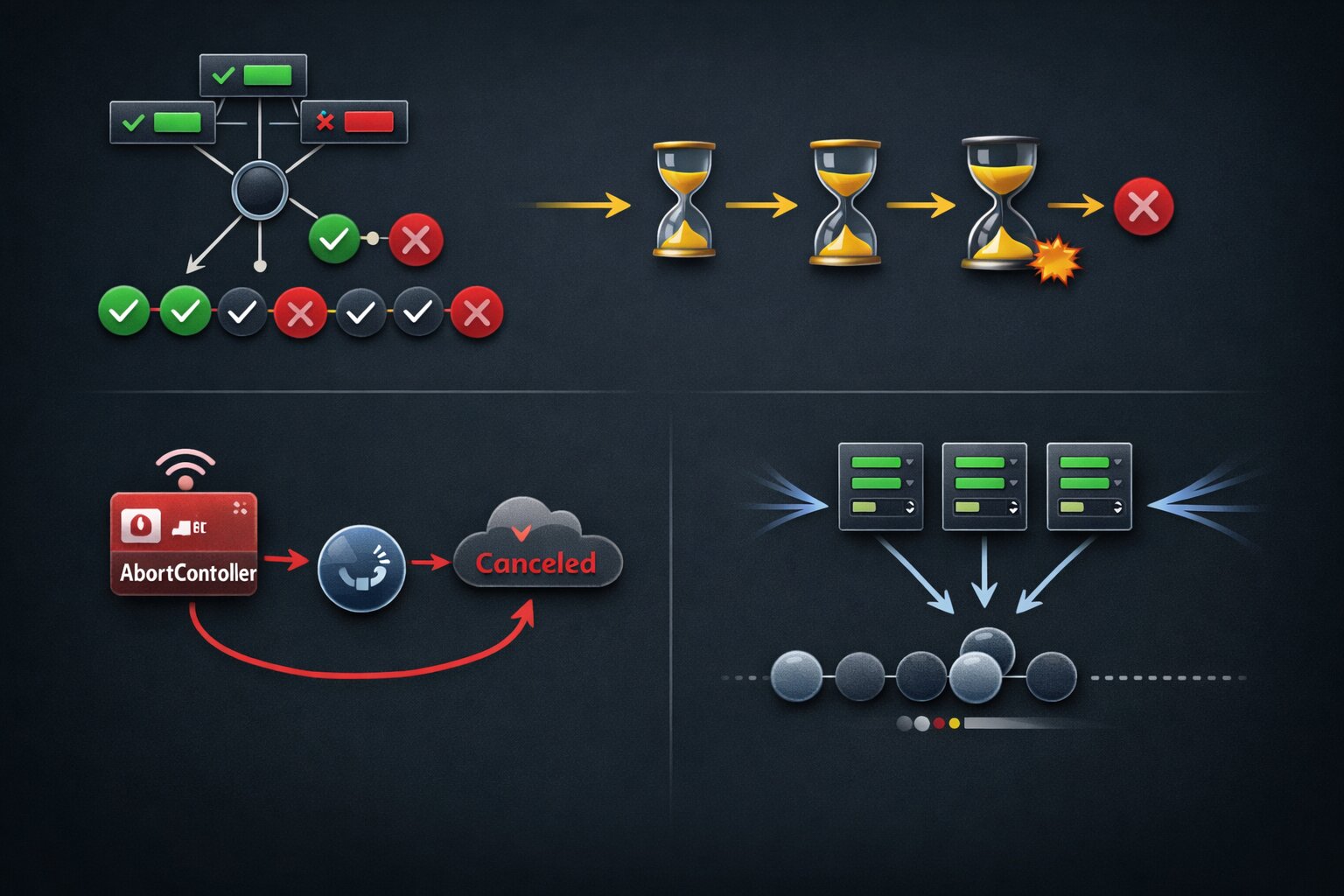
Every async pattern in this article is a pattern that works at scale, survives failures, and runs in production without waking people up at 3 AM. Promise.allSettled for independent data sources. Retry with exponential backoff for transient failures. AbortController for cancellation. Concurrency limits for rate-limited APIs. Compensation logic for multi-step transactions. Debouncing with cancellation for search. Async generators for paginated data. Typed Result patterns for compile-time safety.
The developers who know these patterns build systems that companies trust with real money and real users. The developers who only know await fetch() build systems that work perfectly in development with a single user on localhost and break spectacularly in production with a thousand users, flaky networks, and third-party APIs that return 503 at the worst possible moment. The difference is not talent or years of experience. It is knowing which patterns exist, understanding when to use each one, and having the discipline to implement proper error handling even when the deadline is tomorrow and the happy path works fine.
If you want to see which JavaScript roles test for production async patterns and what they pay, I track this data weekly at jsgurujobs.com.
FAQ
When should I use Promise.all vs Promise.allSettled?
Use Promise.all when all promises must succeed for the result to be useful, like financial transactions where partial completion is worse than total failure. Use Promise.allSettled when partial results are better than nothing, like loading different sections of a dashboard where one failing service should not take down the entire page.
How many times should I retry a failed API call?
Three attempts with exponential backoff is the standard pattern. Retry only server errors (5xx) and rate limits (429). Never retry client errors (4xx). Use jitter (random delay) to prevent thundering herd when many clients retry simultaneously.
Why do I need AbortController if I already use async/await?
Async/await does not cancel requests. When a user navigates away from a page, pending fetch requests continue executing and can set state on unmounted components. AbortController cancels the actual HTTP request, preventing wasted bandwidth, race conditions, and React state-update warnings.
What causes unhandled Promise rejections?
The most common cause is forgetting to await an async function call. When you call an async function without await, its rejection has no handler. Enable ESLint's @typescript-eslint/no-floating-promises rule to catch these at compile time.
📧 Subscribe to JS Pulse
The JavaScript job market in one email: real numbers from 600+ job listings, 5 jobs worth applying to, and what actually changed. Join 9,000+ developers.
Share this article